

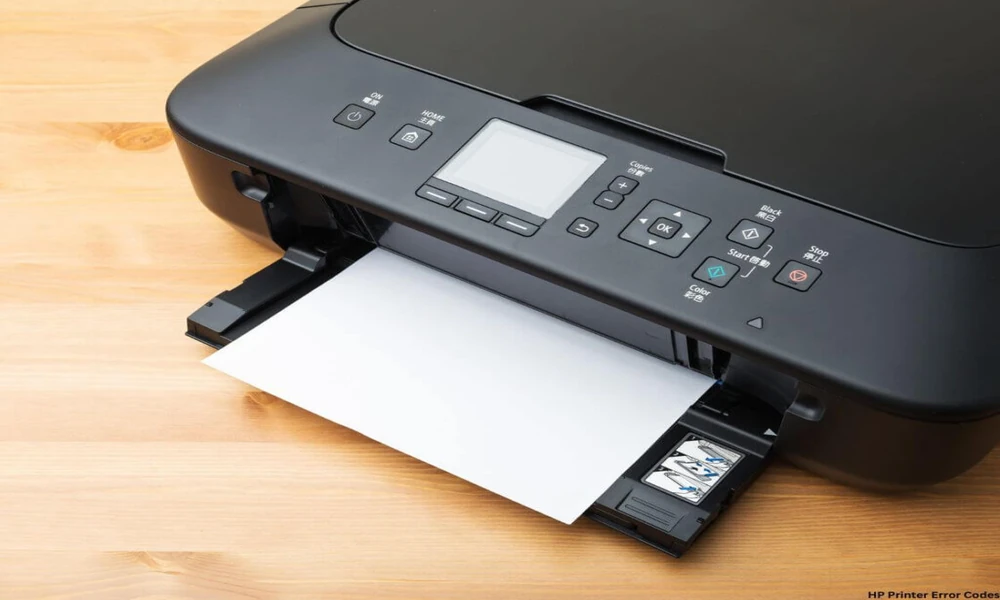
Few things are more frustrating than an HP printer that shows an error code instead of printing. The screen flashes a hex code, the indicator lights pulse in a specific pattern, or the connected computer displays a message that means nothing without context. The good news is that every HP error code has documented meaning and documented fixes. The HP user manual is the fastest way to translate the code into a useful action and avoid the trial and error that wastes time and ink. This guide explains how to use HP documentation to handle error codes confidently.
Why HP Error Codes Matter
HP printer firmware monitors dozens of subsystems, from ink levels and paper sensors to print head temperature, scanner motor position, and network connectivity. When something goes wrong, the firmware produces a specific code that identifies which subsystem reported the problem. The codes are precise because they have to be: a service technician needs to know exactly what to inspect, and HP support agents follow the same code charts when assisting customers over the phone.
For owners, the codes are equally useful. The right manual translates each code into plain language and a recommended action. Browsing a documentation library such as HP printer manuals lets you find the matching guide for your exact model and look up any code that appears on the panel.
Reading the Code Format
HP uses several code formats across its product range. DeskJet and Envy models often show short codes such as E1, E2, or E8 on the LCD. OfficeJet models commonly display longer codes such as 0xc19a0003 in hex format. LaserJet models use mixed formats including text messages such as 49.4C02 Error or Replace Black Cartridge.
The manual lists every code format used by your specific model with the meaning beside it. Some codes are warnings that can be acknowledged and ignored temporarily. Others are hard errors that prevent printing until resolved. The manual makes the difference clear so you know whether a problem is urgent or routine.
Documentation tip: Some HP error codes have multiple possible causes. The manual usually lists them in order of likelihood, so following the suggested steps in sequence is the fastest path to a fix.
Common HP Inkjet Errors
A 0xc19a0003 error on an OfficeJet or DeskJet typically indicates an ink system issue. The manual recommends a specific reset procedure that includes turning the printer off, unplugging the power cord, waiting sixty seconds, and reconnecting power while holding a specific button combination. Many ink system errors clear on the first reset.
E1 and E2 codes on smaller DeskJet models usually mean a paper size mismatch or a paper feed issue. The manual shows how to acknowledge the message by pressing the resume button or how to clear the underlying cause by checking the loaded paper.
Print head replacement messages on continuous ink systems get their own section with the part numbers for replacement heads and the step by step installation procedure.
Common HP LaserJet Errors
LaserJet codes follow a structured numbering system that maps to subsystem and fault type. A 49 error indicates a firmware or communication problem, often resolved by a firmware update or a printer restart. A 50 error indicates a fuser problem, which usually requires service or fuser replacement depending on the model and age.
The manual explains which codes can be cleared by the user and which require service. For corporate environments, the manual also explains how to find the page count on the unit, which helps decide whether a repair is worth the cost relative to the printer’s expected remaining life.
Network and Connectivity Errors
Modern HP printers depend on network connectivity for most users. Network errors show up as connection failures, IP conflicts, or print queue issues. The manual covers network diagnostics step by step, including the wireless self test report that the printer can print on demand.
The HP Smart app, available on phones and computers, complements the manual with guided troubleshooting flows. The manual explains how to use the app to test connectivity, update firmware, and reset network settings when needed.
When to Reset and When to Service
HP manuals are honest about which problems can be resolved by the user and which require service. A 49 or 79 error often clears with a firmware update or a power cycle. A 50 fuser error or a sensor failure typically requires parts and a technician. The manual gives you the information to make that call before spending money on service.
For older HP printers, the cost of a repair sometimes exceeds the cost of a new entry level unit. The manual lists the expected service life of major components, which helps with that economic decision.
Documentation for Older HP Models
HP supports printers for many years, but older models eventually drop off the official site. Independent archives such as manualmachine.com keep manuals for legacy HP printers available, so an older LaserJet still has its full error code table accessible. For refurbished and second hand HP printers, this archive is essential since the original paper manual is rarely included.
Final Thoughts
HP error codes look intimidating but they exist precisely to make problems solvable. The right manual translates each code into a clear cause and a clear fix. Reset procedures, firmware updates, and service decisions all become methodical rather than guesswork. Find your exact model in a documentation library, identify the code on your panel, and follow the steps. The few minutes spent with the manual usually save the hours that trial and error would otherwise take.
